
Free Software Download Center
Software for industrial data collection, monitoring and analysis.
DYNAMIC VISIBILITY • STATE-BASED VISUALIZATION • OPERATOR SAFETY
User controls within EOS SCADA can be dynamically hidden or made visible according to the values of the SCADA data to which they are connected.
With this feature, SCADA screens are no longer limited to static interfaces and can become dynamic operator interfaces that adapt to actual field operating conditions.

In SCADA software, operator interfaces are designed to monitor field processes and allow operator intervention when required.
However, making every user control visible at all times on a SCADA screen may cause operators to encounter controls that are not required at that moment, especially in complex processes.
EOS SCADA addresses this issue dynamically by allowing the visibility of user controls to be linked to the value of any SCADA data.
Thus, a button, indicator, graph or other user control can become visible when a defined condition is met and hidden when the condition is no longer met.
Changing the visibility of user controls according to data values helps SCADA screens become dynamic interfaces that adapt to process conditions.
To link the visibility of a user control to a SCADA data value, first open the relevant project in the EDITOR software.
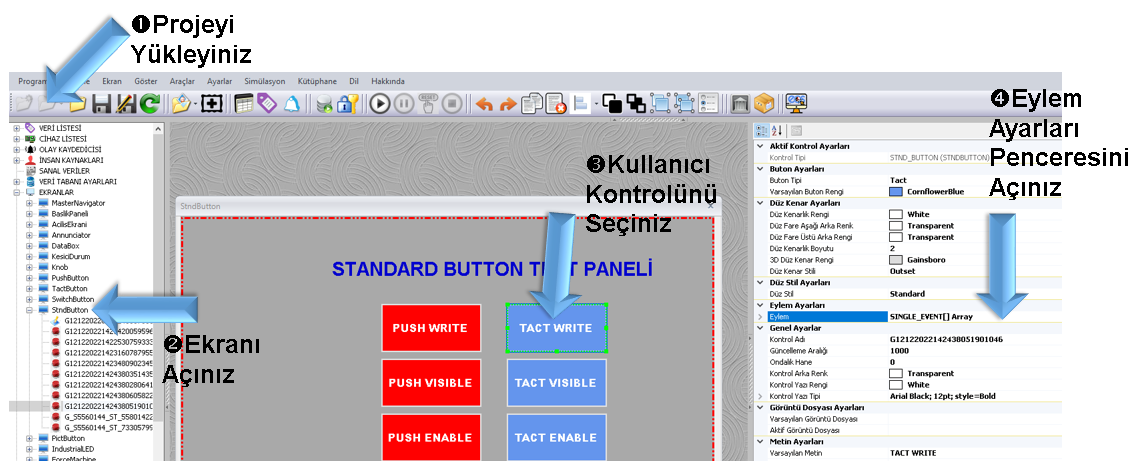
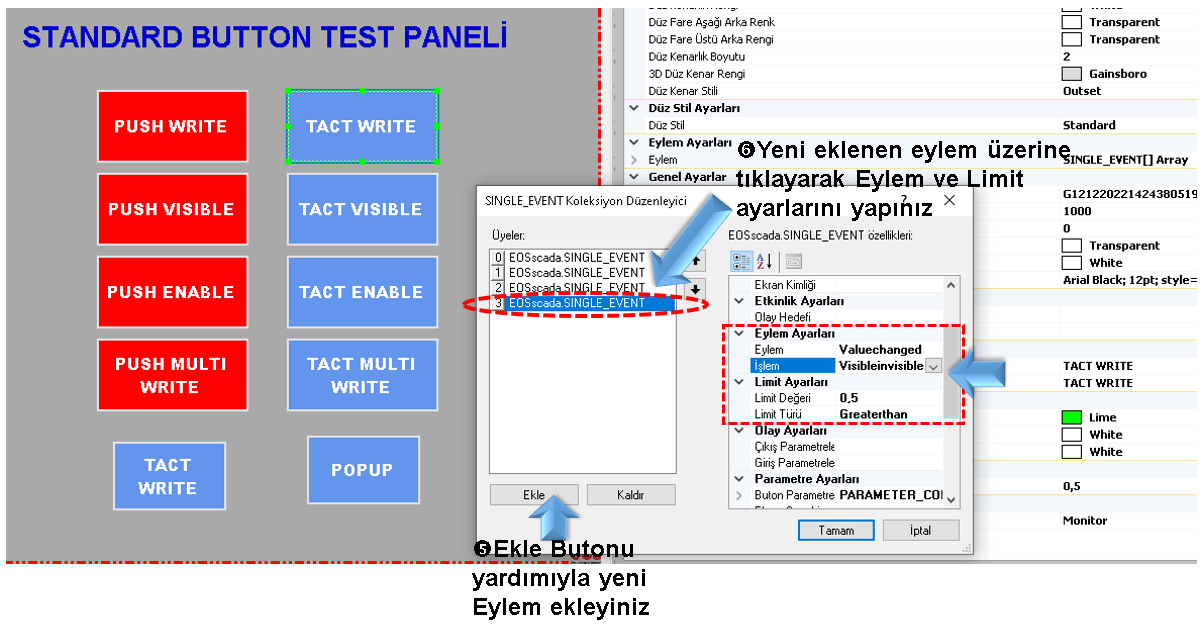
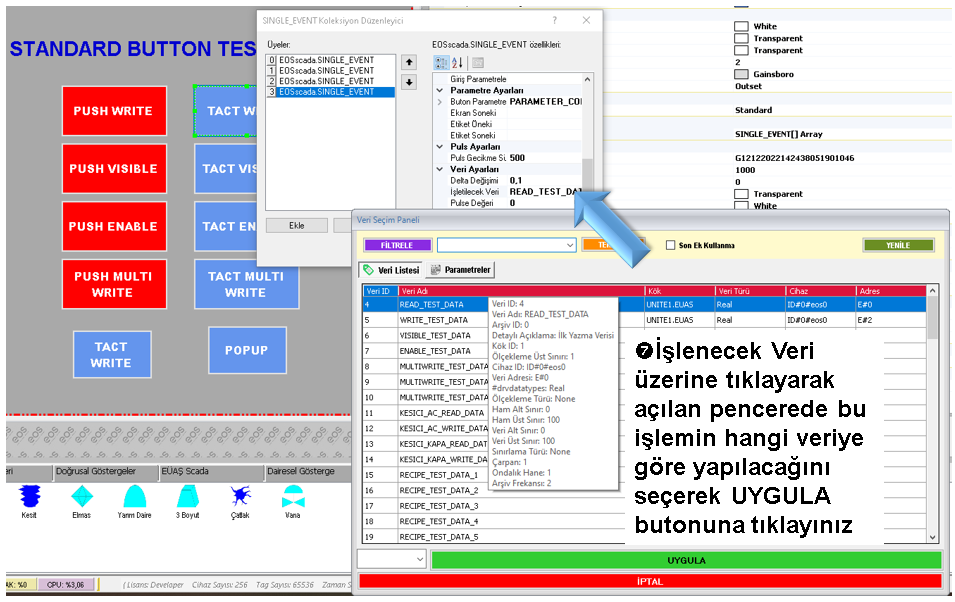
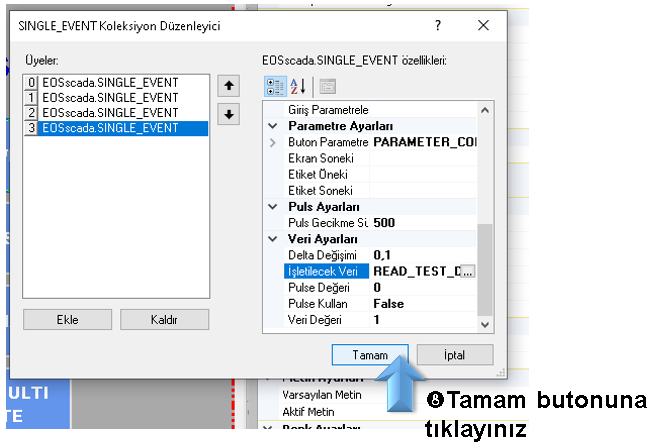
The Limit Value and Limit Type are used together to define the condition under which the user control will be visible or hidden.
Example settings:
In this case, when the processed data value is greater than 0.5, the user control becomes visible.
When the data value is equal to or less than 0.5, the user control becomes hidden.
Thus, the visibility of the user control is managed automatically according to the condition of the real-time data read by the SCADA system rather than being changed manually by the operator.
Data-value-based visibility is not limited to improving screen design. It can also provide an additional safety layer, especially for user controls that send commands to controllers.
For example, if a command must not be sent under a specific process condition, the related command button or control can remain hidden while that condition exists. When the condition changes, the control can become visible again.
CAUTION: Hiding a user control should not by itself be considered an authorization or security mechanism.
Access restrictions should not rely only on visibility control and should also be supported by appropriate authorization mechanisms.
Therefore, this visibility feature should be used to simplify the operator interface, remove inappropriate operations from the screen and make user controls dynamically responsive to process conditions.
In EOS SCADA, hiding or showing user controls according to data values allows SCADA screens to adapt to real-time process conditions.
The Valuechanged action determines the data to be monitored, while the Visibleinvisible operation manages the visibility state of the user control. The Limit Value and Limit Type define the conditions under which this behavior occurs.
This approach enables both simpler and clearer operator interfaces and dynamic management of user controls according to process conditions.
Free Software Download Center
Software for industrial data collection, monitoring and analysis.

Technical Support
Documentation, sample code and practical technical information for EOS software.
You can contact us regarding EOS software, technical documentation, or industrial data communication.