Third-Party Equipment Configuration
Configuration screens for devices with manufacturer-provided web interfaces can be made accessible within SCADA.
EOS SCADA • INTERNET_TARAYICISI • WEB PAGE • USER CONTROL
INTERNET BROWSER allows operators to access the required internet, intranet, or device web interfaces without leaving the process screen by embedding web-based content directly within the SCADA screen.
It is particularly useful for integrating web-based configuration and diagnostic interfaces of third-party equipment into the SCADA architecture. Two different web addresses can be loaded alternately at a configured switching interval.

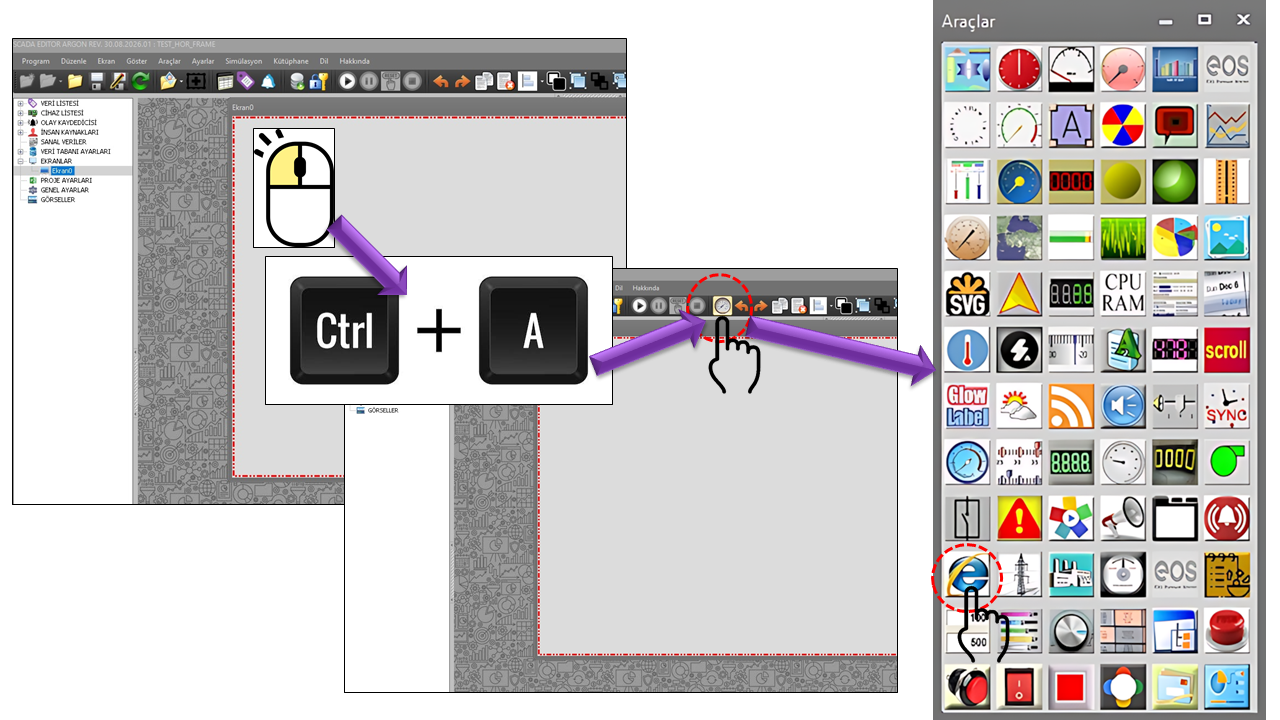
INTERNET_TARAYICISI is a user control that enables web pages to be embedded in EOS SCADA screens. It provides a practical visual bridge between the SCADA application's own process visualization and web-based third-party applications.
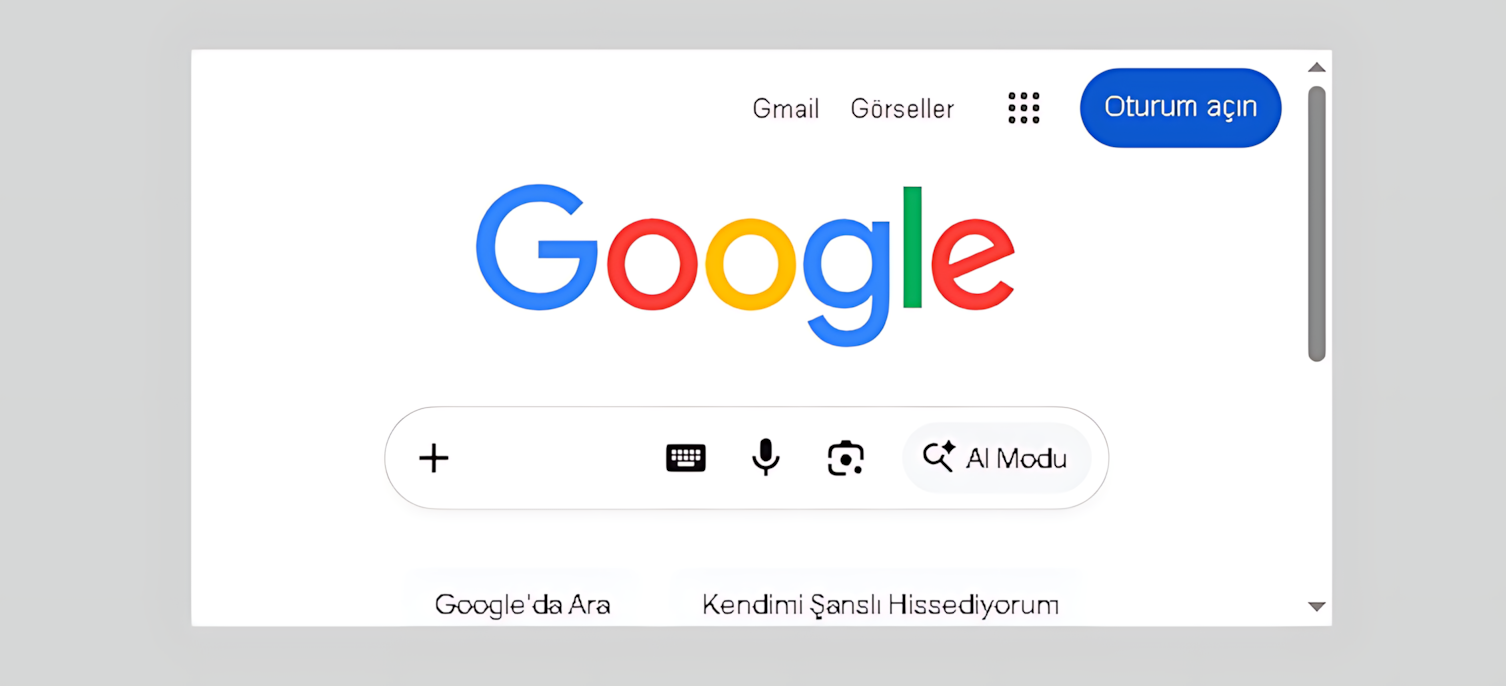
WEB CONTENT WITHIN THE SCADA SCREEN
The web-based configuration interface of a third-party device can be displayed in a section of the SCADA screen.
This approach is particularly useful in systems where a manufacturer's web interface provides configuration, maintenance, diagnostics, or service functions for equipment. For example, a web-based configuration screen accessed through the IP address of a device on the network can be displayed alongside the corresponding equipment in the SCADA project.
Displaying a web-based equipment interface in a user control within the SCADA screen, rather than opening a separate application window, can help operators keep monitoring and support workflows within a single workspace.
The basic concept of the control is simple: a web address is assigned to a designated area of the SCADA screen, and the web content is displayed within that area. This arrangement can be useful when equipment's own web-based service interfaces need to be available on the same screen as the SCADA visualization.
Parameter and configuration screens.
Status, error, and service information.
The third-party device's own visualization.
According to the source code, the control can define two separate web addresses. The URLAddress1 and URLAddress2 fields specify the two addresses, while PageTransitionTime defines the interval between pages in milliseconds.
http://device-1http://device-2The default value of 300000 ms corresponds to 5 minutes. For example, an information area can be configured to alternate between an equipment's web-based status screen on the first page and another piece of equipment's maintenance or configuration screen on the second page.
Configuration screens for devices with manufacturer-provided web interfaces can be made accessible within SCADA.
A dedicated web area on the SCADA maintenance screen can provide maintenance personnel with quick access to an equipment web panel.
It can be used to display status or configuration pages for network and communication equipment with web-based management interfaces.
It can be used with systems that provide web-based video interfaces, subject to appropriate technical and security conditions.
If a separate web application is available for production, energy, or equipment performance, the relevant view can be displayed on the SCADA screen.
It can provide an access point for technical support, device diagnostics, or service applications running on the local network.
The properties defined in the source code and their EOS Turkish equivalents are listed below.
| Property | EOS Turkish Equivalent | Default | Description |
|---|---|---|---|
| UCType | Control Type | INTERNET_TARAYICISI | Specifies the type of the user control. |
| UpdateInterval | Update Interval | 1000 | Specifies the general update interval of the control. |
| DecimalPoint | Decimal Places | 0 | Specifies the number of decimal places used for the control's numeric display. |
| UCBackColor | Control Background Color | Transparent | Specifies the background color of the control. |
| UCForeColor | Control Text Color | Black | Specifies the text color of the control. |
| UCFont | Control Font | Arial Narrow 8.25 | Specifies the font used by the control. |
| URLAddress1 | First URL Address | http://www.google.com | Specifies the first web address. |
| URLAddress2 | Second URL Address | http://www.yahoo.com | Specifies the second web address. |
| PageTransitionTime | Page Transition Time | 300000 | Specifies the interval used to switch between the two web addresses. The value is in milliseconds. |
| UpdateActive | Update Active | false | Specifies whether the update behavior is enabled. |
| MaximizeScreen | Full Screen | false | Specifies the setting that controls the full-screen behavior of the web content. |
Consider a facility where process values for a pump station are monitored on the main SCADA screen, while access to the manufacturer's web-based service screen for the pump drive is also required.
Adding web content to a SCADA screen can connect the SCADA operating environment with other systems on the network. Therefore, only necessary and trusted addresses should be used; HTTPS should be preferred over HTTP whenever possible; and access permissions, network segmentation, firewall rules, and the third-party device's own authentication mechanisms should be evaluated separately.
Some industrial web interfaces may not be displayed when embedded because of browser security policies or server-side policies such as frame-ancestors. This depends on the web application's security configuration.
Web browser-based access is documented in industrial HMI products for use cases such as accessing devices' built-in web pages, intranet/Internet content, and web-based applications. For example, Rockwell documents a Web Browser object that accesses specific URLs from within an HMI, while Siemens documents web-based device configuration and HMI access scenarios. citeturn0search2turn0search9turn0search1
The control should have a clearly defined area appropriate to its function, preventing web content from overlapping process graphics.
URLs should be stable and documented wherever possible, and should direct users only to the devices or applications required.
When two addresses are used, the page transition interval should allow the operator enough time to read the content and intervene when necessary.
The web page's own user authentication and SCADA user authorization should be considered together.
INTERNET BROWSER is a flexible user control that can transform a SCADA screen from an area used solely to display process data into a workspace that also accommodates the necessary web-based technical interfaces.
Particularly when dealing with web-based configuration, diagnostics, and service screens for third-party equipment, it can provide a practical solution by allowing operators or maintenance personnel to access the relevant web interface without switching to a separate application. Support for two addresses and time-controlled transitions also extends its use to information displays and rotating technical pages.
SCADA + WEB: Bringing process visualization and the necessary web-based technical interfaces together within the same screen architecture.

Free Software Download Center
Software for industrial data collection, monitoring, and analysis.

Technical Support
Software documentation, sample code, and practical technical information.
You can contact us regarding EOS software, technical documentation, or industrial data communication.