
Free Software Download Center
Software for industrial data collection, monitoring, and analysis.
OPC XML-DA SERVER • SIMULATOR • DEVELOPMENT • TESTING
OpenXmlDaServer is an OPC XML-DA Server simulator developed for the development and testing of OPC XML-DA client applications. It allows client software connection, tag reading, and data processing functions to be tested without requiring a real OPC XML-DA server.
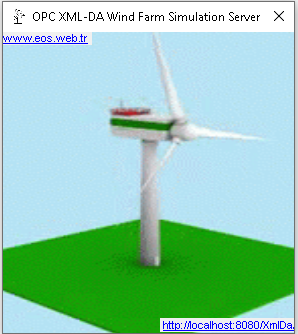
The simulator creates a meaningful data hierarchy for a typical wind turbine and provides various process values as randomly changing data within this structure. This allows OPC XML-DA Clients, SCADA systems, and data acquisition applications to be tested without connecting to an actual field device.
 OPC XML-DA is one of the older technologies in the
OPC Classic family for exchanging data through web services. As more
modern technologies such as OPC UA are now widely used, ready-to-use
OPC XML-DA Server applications suitable for development environments
may be more difficult to find compared with other OPC technologies.
OPC XML-DA is one of the older technologies in the
OPC Classic family for exchanging data through web services. As more
modern technologies such as OPC UA are now widely used, ready-to-use
OPC XML-DA Server applications suitable for development environments
may be more difficult to find compared with other OPC technologies.
However, connecting to a real XML-DA Server may still be necessary when maintaining existing systems, redeveloping legacy applications, testing different OPC clients, or developing a new OPC XML-DA Client. OpenXmlDaServer was developed to provide a simple and practical solution for this requirement in a development environment.
Primary purpose: OpenXmlDaServer is not a field simulation system. It is primarily designed to provide an OPC XML-DA Server source for software development, integration, and testing.
OpenXmlDaServer presents data within a defined hierarchy so that client applications can be tested as if they were working with a real industrial data source. The hierarchical structure helps test tag discovery, addressing, data selection, and value reading operations.
Example data model:
This structure is an example model. The actual tag names and hierarchy provided by the simulator should be evaluated according to the version of OpenXmlDaServer.exe being used.
OpenXmlDaServer provides its OPC XML-DA service through port 8080. Therefore, no other application or service using the same port should be running. This should be checked before starting the server.
Important: If another service is using port 8080 on your computer, that service must be stopped before starting OpenXmlDaServer. Otherwise, OpenXmlDaServer may be unable to bind to port 8080 and may not be able to provide the OPC XML-DA service.
In addition, OpenXmlDaServer.exe must be run as Administrator. In Windows, right-click the application file and select Run as administrator.
Startup sequence:
After these preparations, the OPC XML-DA Client application can connect to OpenXmlDaServer through the following endpoint:
http://localhost:8080/XmlDa/
http://localhost:8080/XmlDa/
Note:
localhost should only be used when OpenXmlDaServer
and the OPC XML-DA Client are running on the same computer.
If the server is running on another computer, replace
localhost in the connection address with the server
computer's IP address or an appropriate host name.
| Use Case | Topics That Can Be Tested with OpenXmlDaServer |
|---|---|
| OPC XML-DA Client | Connection, tag access, data reading, and error handling. |
| SCADA | Retrieving and processing process values from an OPC XML-DA data source. |
| Data Acquisition | Periodic reading of tag values and transferring them to different data structures. |
| Protocol Integration | Testing OPC XML-DA together with other communication or data processing layers. |
| Debugging | Investigating Client connection problems and XML-DA request/response operations in a development environment. |
OpenXmlDaServer is designed to be used by default on the local computer through the following endpoint:
Server Endpoint
http://localhost:8080/XmlDa/
You can access OpenXmlDaServer by using this address in the connection settings of your OPC XML-DA Client application.
OpenXmlDaServer is provided for the development and testing of OPC XML-DA Clients and similar industrial software applications.
Execution requirements: Before running OpenXmlDaServer.exe, make sure that port 8080 is not being used by another service. The application must also be started using Run as administrator.
Note for developers: The primary purpose of the simulator is not to be used as an OPC XML-DA Server in a production environment, but to provide a controlled data source for software development, integration, and testing processes.
Free Software Download Center
Software for industrial data collection, monitoring, and analysis.

Technical Support
Software documentation, sample code, and practical technical information.
You can contact us regarding EOS software, technical documentation, or industrial data communication.