3-Axis (XYZ) Chart Types

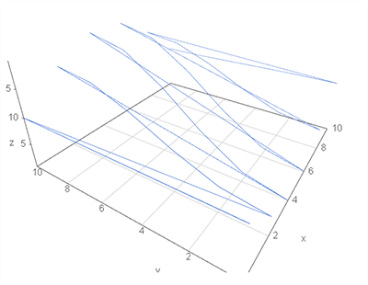
The vissurface3d, visbar3d, visbarcolor3d, visbarsize3d, visdot3d, visdotline3d, visdotcolor3d, visdotsize3d, visgrid3d and visline3d charts added to LIVE DASH are designed to analyze relationships between three variables in a three-dimensional environment by using the X, Y, and Z axes simultaneously.

XTime, location, unit, or level
YPower, flow rate, pressure, level, etc.
ZTemperature, load, speed, gate opening, etc.
3DPatterns, relationships, and anomalies
Important distinction: XYZ charts are not time-axis charts. Their purpose is to display the relationship between three different data variables in three dimensions. The first input data is represented on the X axis, the second input data on the Y axis, and the third input data on the Z axis.

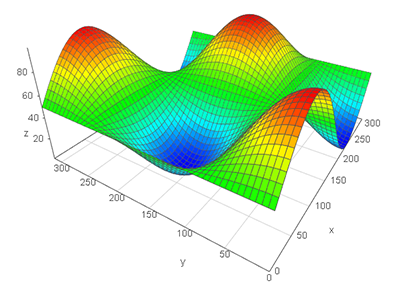
vissurface3d – 3D Surface Chart

Purpose: To reveal the operating surface of a performance parameter that varies according to two independent variables.

  • X: Flow rate (m³/s)
  • Y: Generated power (MW)
  • Z: Net head (m)

This approach makes it possible to examine the characteristics of a hydroelectric power plant under different operating conditions on a single surface.

Technical value: Relationships that can be observed separately in 2D characteristic curves can, with suitable datasets, be evaluated together on a single 3D operating surface.
```

3D XYZ Chart Types and Their Purposes

1. vissurface3d

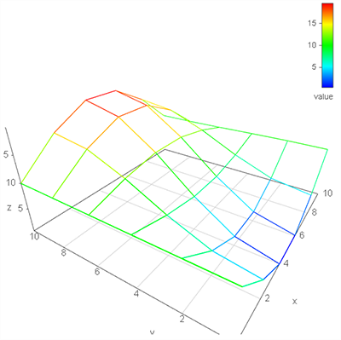
3D Surface: Used to derive the operating surface of a performance parameter that varies according to two independent variables. For example: X: Flow rate (m³/s), Y: Generated power (MW), Z: Net head (m) ➡ The hydraulic operating characteristics of the plant are represented as a surface.
visbar3d

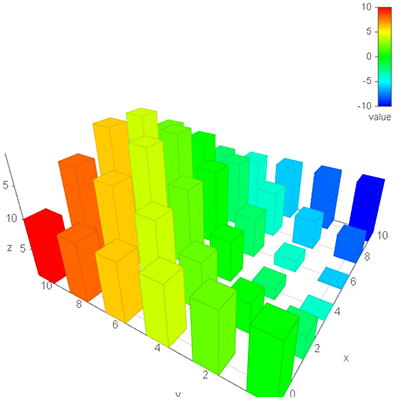
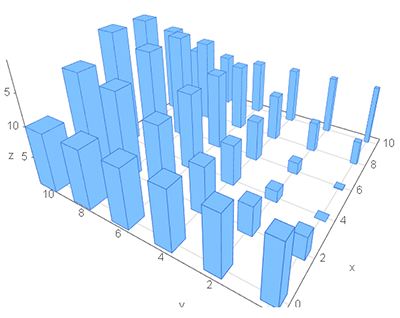
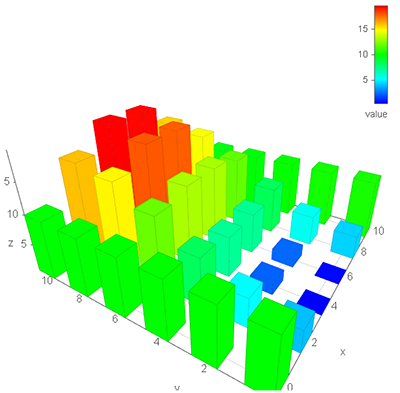
3D Column: Compares discrete operating points or units volumetrically. For example, X = Turbine/Unit, Y = average power, Z = operating load range.

visbarcolor3d

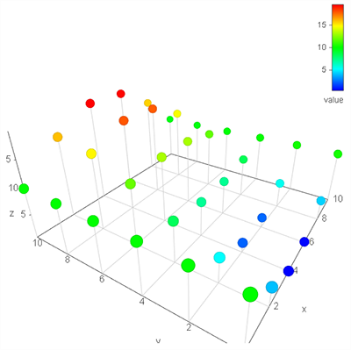
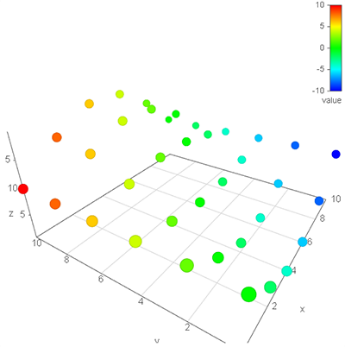
Color-Coded 3D Column: In addition to column height, it conveys quality or status information through color. In a hydroelectric power plant, power–flow-rate points can be differentiated according to efficiency.

visbarsize3d

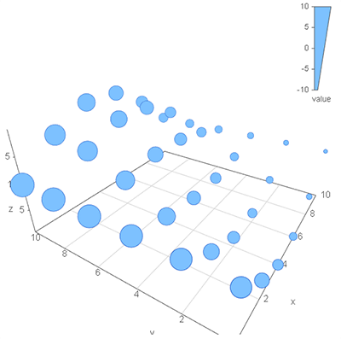
Size-Scaled 3D Column: Highlights risk or impact magnitude through an additional visual dimension. For example, vibration level can be related to the load–power–net head relationship.

visdot3d

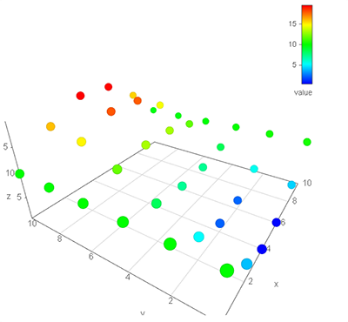
3D Scatter Point: Analyzes the distribution and clustering of operating points. Normal and unusual operating regions can be distinguished using flow rate–power–turbine speed.

visdotline3d

Point + Line: Shows the physical or operational transition path between operating points. The operating trajectory can be monitored through the gate opening–power–flow rate relationship.

visdotcolor3d

Color-Coded 3D Point: Adds status or quality information to operating points. Alarm classes can be distinguished in the load–power–temperature space.

visdotsize3d

Size-Scaled 3D Point: Represents risk or impact intensity through point size. Cavitation risk can be highlighted in the flow rate–power–net head space.

visgrid3d

3D Grid: Helps define acceptable operating regions and limits. Minimum–maximum flow-rate surfaces and the safe operating volume can be examined.

visline3d

3D Line: Shows the continuous physical relationship between parameters. It enables three-dimensional monitoring of plant characteristics across the load–power–efficiency axes.

visbar3d–visline3d family: Although these chart types share the same XYZ data approach, the use of bars, points, lines, surfaces, color, and size serves different analytical requirements.

Typical XYZ Scenarios for Hydroelectric Power Plants

  • Flow rate – Power – Net head: Hydraulic operating characteristics using vissurface3d.
  • Turbine operating regions: Separation of normal and unusual operating points using visdot3d / visdotcolor3d.
  • Cavitation risk analysis: Representing risk level through point size using visdotsize3d.
  • Unit performance comparison: Comparing operating points using visbar3d.
  • Operating trajectory: Showing the trajectory of gate adjustments or operational changes through the operating space using visdotline3d.

Applications for Power Generation Facilities

  • Load – Power – Temperature: Joint analysis of operating load together with power and temperature behavior.
  • Efficiency maps: Evaluation of efficiency according to the operating region using Surface3D and appropriate color coding.
  • Alarm intensity and operating regimes: Differentiation of operating regions that generate alarms using 3D point and color features.
  • Unit-based 3D performance: Multivariable comparison of unit performance under different operating conditions.
Analytical approach: Using three axes simultaneously makes it possible to evaluate the operating regime as a “data space”, rather than monitoring individual variables separately.

Design and Usage Recommendations

  • 3D charts should primarily be used for analysis and exploration.
  • Their use may be limited on operator screens and more extensive on engineering and analysis screens.
  • Color, size, and the number of axes should not be used excessively at the same time; each visual encoding should represent a meaningful variable.
  • When necessary, 2D charts should be used as complementary views to make specific relationships easier to read.
  • The ordering of the XYZ axes should be clearly specified; particularly, the mapping of the first, second, and third input data to the X/Y/Z axes should be easy for the user to understand.
Readability warning: A 3D view does not increase the amount of data; it only provides a different spatial representation of the relationships between the existing variables. Therefore, visual complexity should not outweigh analytical value.

Conclusion

LIVE DASH's XYZ-based 3D charts go beyond conventional 2D reporting and help visually analyze multidimensional relationships, complex operating regimes, performance regions, and risk areas.

Particularly for hydroelectric power plants, multivariable power generation facilities, and advanced engineering analysis, these charts provide a powerful set of tools for performance mapping, operating-region analysis, anomaly discovery, and engineering decision support.

XYZ data rule: The order of the data entered into the chart is analytically important: 1st data → X axis, 2nd data → Y axis, 3rd data → Z axis. This rule is fundamental to correctly interpreting 3-axis charts in LIVE DASH.
← Back to Previous Content