
Free Software Download Center
Software for industrial data collection, monitoring, and analysis.
PASSWORD UPDATE • CURRENT PASSWORD • NEW PASSWORD • PASSWORD STRENGTH • DOUBLE CONFIRMATION • DB LED
Users logged into EOS SCADA Runtime can update their current SCADA login password by using the CHANGE PASSWORD function within Runtime. The password change operation is performed as a controlled process that verifies the current password and ensures that the new password complies with the applicable security rules.
Entering the new password twice allows the password specified by the user to be verified, while the password strength check applied by EOS SCADA Runtime prevents weak passwords from being accepted. The result of the update operation is reported to the user through the DB LED.
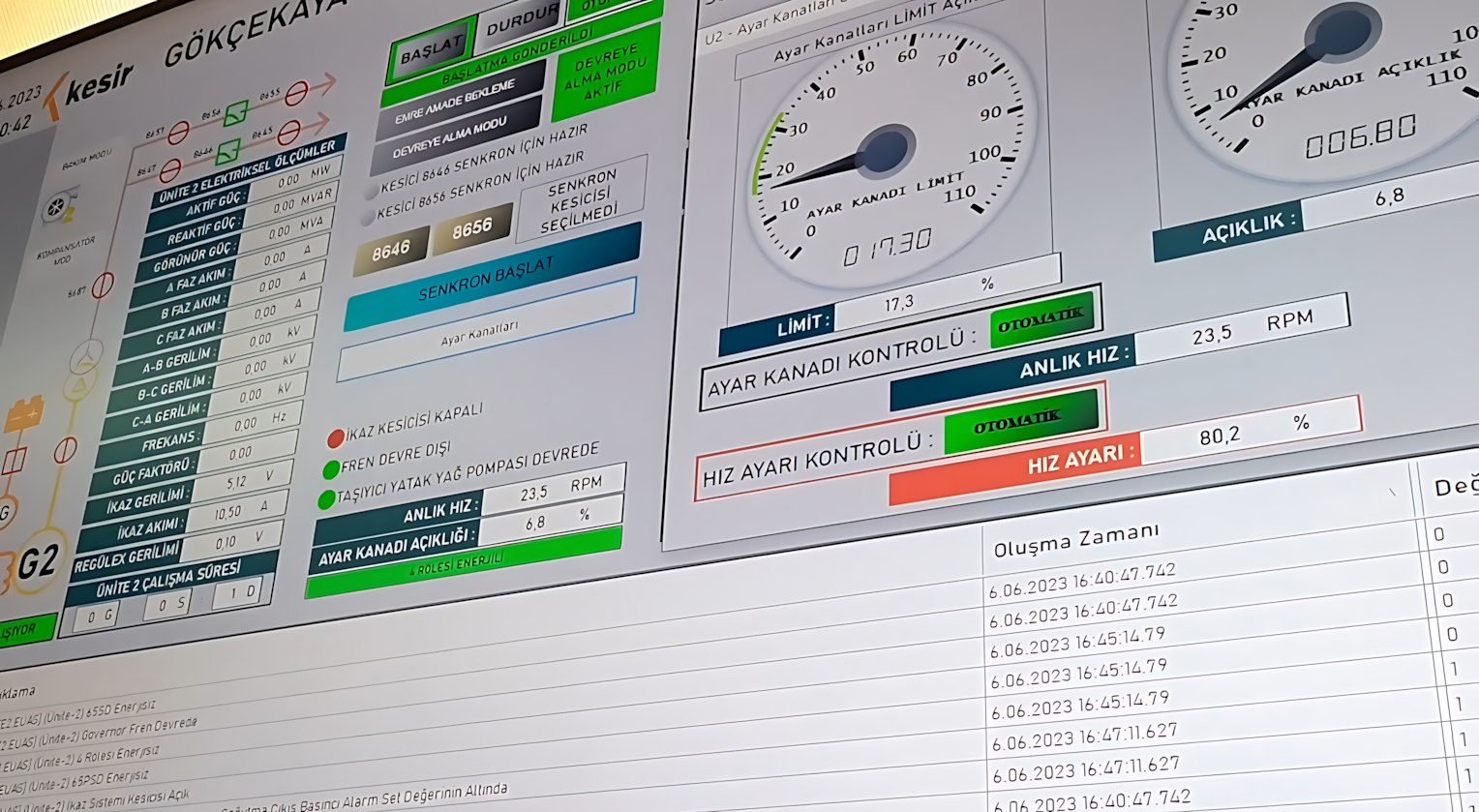
To view status information related to the active project in EOS SCADA Runtime, use the VIEW menu.
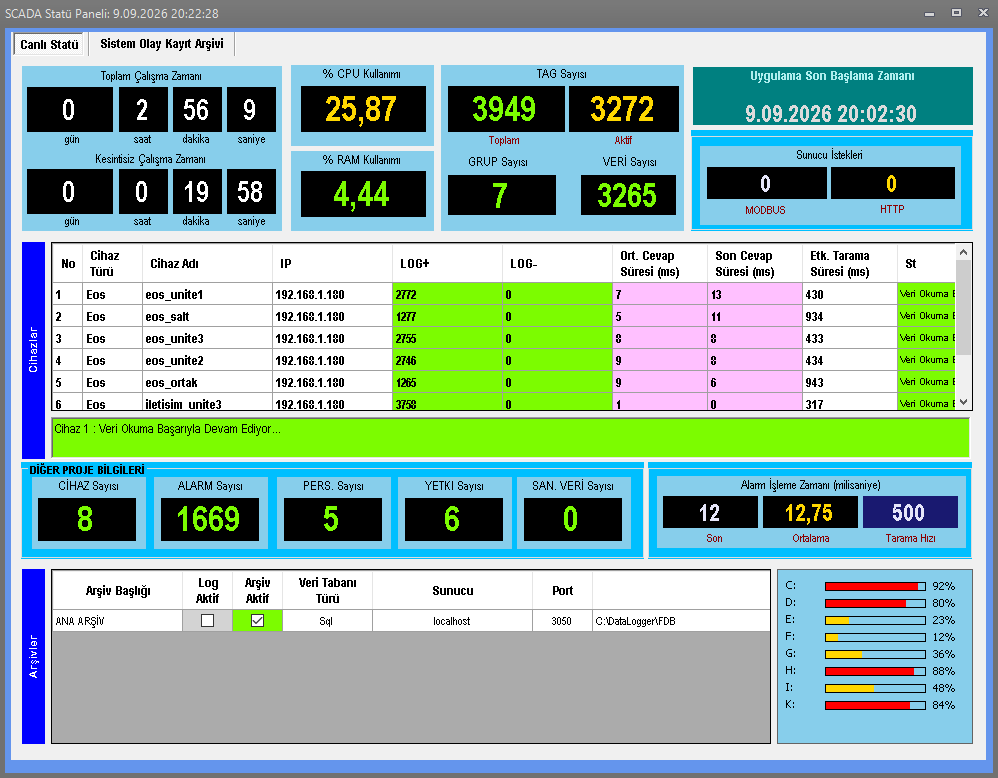
The SCADA Status Information button under this menu can be used to open the SCADA Status Panel.
VIEW → SYSTEM STATUS INFORMATION
The SCADA Status Panel provides a quick way to view summary information about various subcomponents of the currently active project and overall system operating status from a single panel.
Through the panel, users can access summary information about project subcomponents such as Devices, Data, and Alarms.
Instead of checking status information for different system components separately, the SCADA Status Panel helps users quickly view important status information through an integrated panel.
The System Status Information Panel can display summary information about various subcomponents used in the active project.
| Subcomponent | Displayed Information |
|---|---|
| Devices | Summary status information about the devices used in the project. |
| Data | Summary information about the data used in the project. |
| Alarms | Summary information about the alarm components used in the project. |
This information helps users quickly evaluate the overall operating status of the active project.
The SCADA Status Panel can also display the real-time connection information of devices used in the project.
This information allows users to quickly evaluate the connection status of devices included in the SCADA project.
The panel provides quick access to real-time device connection information. This allows users to monitor device connection status directly through the status panel.
Information about database connection status can also be displayed in the SCADA Status Panel.
Viewing the database connection status through the status panel helps users quickly check the operating status of the system's connection to the database.
When a status condition or problem occurs with the database connection, the user can check the relevant information through the SCADA Status Panel.
In addition to system operating status information, the SCADA Status Panel also provides quick access to information about software error messages.
This information helps users identify software-related conditions that may occur in the Runtime operating environment and evaluate the overall system status.
Since information such as device connections, database connection status, and software error messages can all be checked through the same status panel, it becomes easier to evaluate the overall system condition.
The SCADA Status Panel provides comprehensive status information for real-time monitoring of the EOS SCADA Runtime operating status, system resource usage, project subcomponents, device communications, data and alarm scanning operations, database connection, and server communication activities.
The information displayed in the panel is not limited to numerical summaries of project components. Operational information such as how long Runtime has been running, system resource usage, device communication performance, alarm scan times, database connection status, and MODBUS/HTTP server activity can also be monitored.
| Information Group | Displayed Information |
|---|---|
| Runtime Status | Runtime operating status, total program runtime, and continuous operating time. |
| System Resources | Computer % CPU and % RAM utilization rates. |
| Tag Information | Total number of Tags/data points defined in the project and general status information related to them. |
| Device and Alarm Information | Total number of devices and alarms defined in the project and their general status. |
| Device Connection Status | Real-time connection status and communication status of devices included in the project. |
| Log Information | Number of successful and failed logs; statistical information that helps evaluate system activities and communication results. |
| Device Communication Times | Average attempt times and most recent attempt times for devices, displayed in milliseconds (ms). |
| Effective Scan Time | The effective duration of SCADA data collection/scanning operations and information related to scanning performance. |
| Database | EOS SCADA Runtime database connection status and the operating status of the connection. |
| Alarm Scan Times | Duration of alarm scanning operations performed by the system and information related to alarm scanning performance. |
| Hard Disk Usage | Hard disk utilization and the current storage usage status of the computer running the system. |
| MODBUS Server | Request counters and server activity information related to requests received by the MODBUS server. |
| HTTP Server | Request counters and server activity information related to requests handled by the HTTP server. |
| Software | Software error messages generated in the Runtime operating environment and error/status information that helps evaluate the system. |
When these values are evaluated together, users can monitor from a single panel whether Runtime is running, how long it has been running, the extent of computer resource usage, the number of Tags, devices, and alarms in the project, device communication status, and communication times.
In addition, data and alarm scan times, database connection status, hard disk utilization, and MODBUS and HTTP server request counters make it possible to evaluate not only whether Runtime is running, but also its operating performance and operational status in greater detail.
The values displayed in the SCADA Status Panel help users detect potential problems in the system at an early stage. For example, high CPU or RAM usage, increasing numbers of failed logs, longer device communication times, device connection problems, database connection issues, increasing alarm scan times, or increasing hard disk utilization can be monitored by the user. This enables a quick operational assessment of the overall operating status and performance of the Runtime system.
The System Status Information Panel can be used particularly when the operating status of Runtime needs to be checked quickly.
By opening the panel, the user can review the general status of the active project's subcomponents, real-time device connection information, database connection status, and software error messages within a single workspace.
The System Status Information Panel in EOS SCADA Runtime is an important monitoring tool that provides users with quick and concise information about the active project and overall system operating status.
The panel can be accessed through the VIEW → SYSTEM STATUS INFORMATION menu path. The panel displays summary information about project components such as devices, data, and alarms, as well as real-time device connection status, database connection status, and software error messages.
This information allows users to review the status of different system components through a single panel and quickly evaluate the overall status of the Runtime operating environment.
The SCADA Status Panel, opened through the VIEW → SYSTEM STATUS INFORMATION menu path, provides quick access to summary status information about the active project, the status of subcomponents such as devices, data, and alarms, real-time device connection information, database connection status, and software error messages.
Free Software Download Center
Software for industrial data collection, monitoring, and analysis.

Technical Support
Software documentation, sample code, and practical technical information.
You can contact us regarding EOS software, technical documentation, or industrial data communication.