EOS Software for Your Industrial Data

EOS software is designed for industrial facilities for data acquisition, real-time monitoring, SCADA screen design, event recording, and historical data archiving. geliştirilmiştir.

EOS SCADA free SCADA software

EOS SCADA

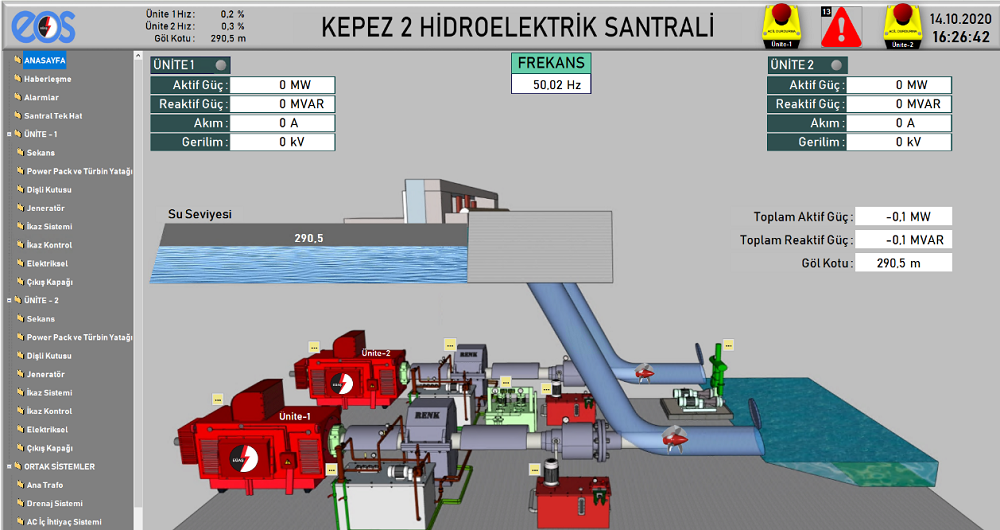
Create free SCADA screens for your industrial facility.

Monitor real-time data, view device statuses, use graphical objects and design your own SCADA screens.

  • Real-time data monitoring
  • SCADA screen design
  • User control objects
  • Industrial device data acquisition
  • Alarm and event monitoring
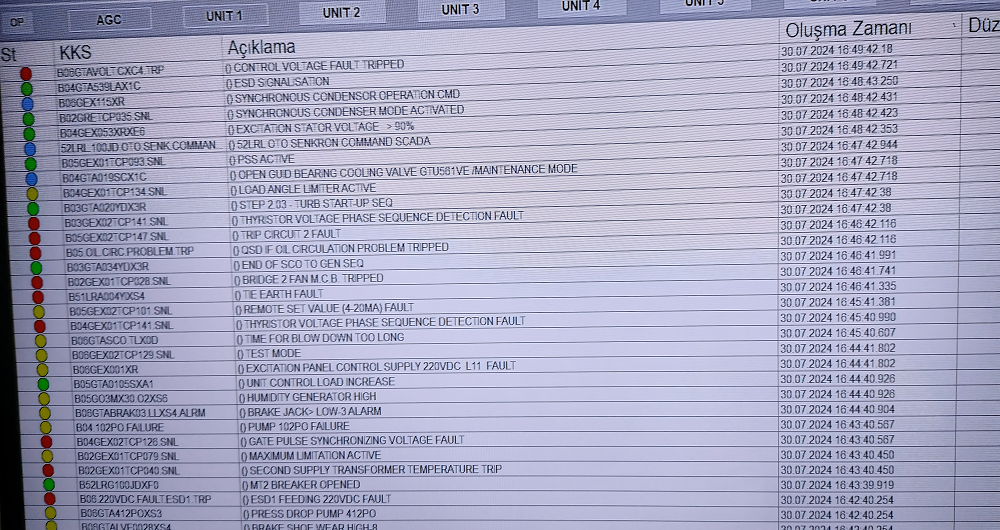
EOS Event Recorder endüstriyel olay kayıt yazılımı

EOS EVENT RECORDER

Record events occurring in your industrial system with timestamps and archive them.

Create a reliable recording structure for changes, events, and important conditions received from devices and SCADA systems for later review.

  • Fast event recording
  • Timestamped records
  • Event history
  • Data archiving
  • Review of historical events
EOS Live Events canlı endüstriyel olay izleme

EOS LIVE EVENTS

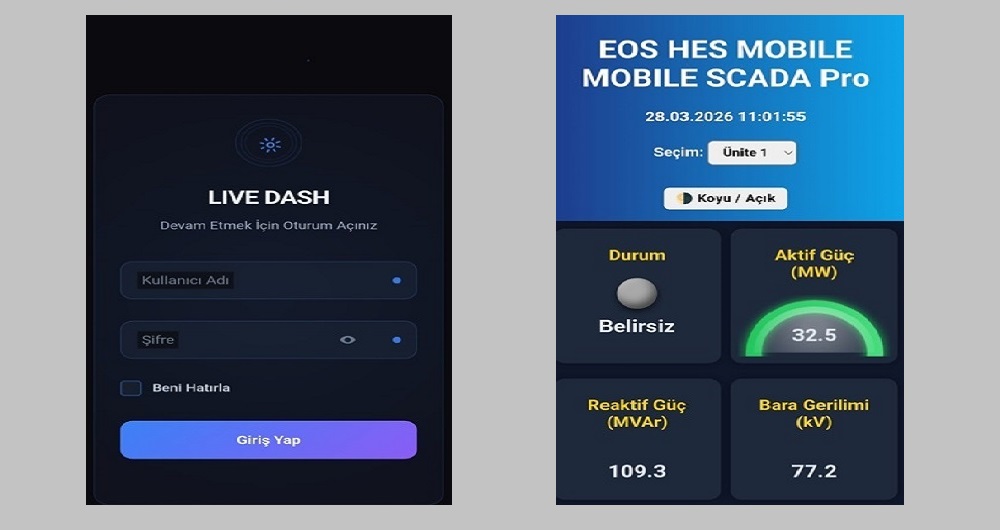
Record events occurring in your industrial system in real time.

Graph collected data, access historical data, analyze and report it, and create SMS, WhatsApp, E-mail, and Telegram-based alarm notification systems.

  • Web-based reporting
  • Real-time event stream
  • Access to event history
  • Analysis tools
  • Web-based extensions
  • Alarm notification system

Why EOS?

Download and Start Using

Without losing time to lengthy licensing processes or complex installation procedures, download the software to your computer and start using it.

Create Your Own SCADA Screen

Create graphical screens that match your facility's operation and visually monitor your real-time data.

Collect Your Data Quickly

Collect and monitor data from industrial devices and record it when necessary.

Create Your Data Archive

Create your own data archive so you can review your industrial data and events over time.

Review Your Historical Data

Go beyond viewing the current status. Review past events and records to understand what happened in your facility.

Industrial Protocols

Access tools that can work with Modbus, OPC, MQTT, IEC 60870, IEC 61850, SNMP, and other industrial communication technologies.

Get Started in Three Steps

Getting started with collecting your industrial data may be easier than you think.

  1. Download the Software
    Download EOS software to your computer for free from the download center.

  2. Install and Configure
    Install the software and configure the devices, data points, or SCADA screens you will use.

  3. Start Collecting Your Data
    Monitor your real-time data, record your events, and create your own industrial data archive.

Who Is It For?

EOS software is not only for large industrial facilities; it can be used by anyone who wants to learn, develop, or apply industrial automation, data acquisition, and SCADA technologies.

  • Automation engineers
  • Electrical and electronics engineers
  • SCADA and control system developers
  • System integrators
  • Industrial facility operators
  • PLC and RTU application developers
  • University students and researchers
  • Software developers interested in industrial communications

Use Cases

EOS software can be used in industrial facilities for data acquisition, SCADA monitoring, data archiving, alarm and event management, reporting, analysis, and industrial communications.

Example use cases and application approaches for different facility and application needs, along with how EOS software is used in these scenarios, are explained in detail on the following page.

Explore Use Cases:
Visit the use cases page to explore how EOS software can be used in different industrial applications.

Explore Use Cases →

Industrial Communication and Data Technologies

Industrial systems need devices from different manufacturers to work together. The EOS portal also provides various client, server, and communication tools that can be used with these systems.

Modbus

Modbus TCP- and RTU-based industrial data communication.

OPC

Tools for OPC DA, OPC UA, and OPC XML-DA technologies.

MQTT

MQTT tools for modern IIoT and messaging applications.

IEC and Other Protocols

Industrial communication technologies such as IEC 60870, IEC 61850, DNP3, Siemens S7, and SNMP.

EOS SCADA User Control Engines

EOS SCADA is not just a SCADA software for monitoring data; it provides a powerful user control infrastructure for visually representing industrial processes, interacting with users, and shaping control screens according to requirements.

EOS SCADA provides numerous user control object engines; for creating indicators, graphs, buttons, alarms, navigation elements, numerical displays, measurements, animations, and various industrial visual objects. With their parametric features, these engines allow the same control object to be adapted to different processes and applications.

Bunun yanında, thousands of industrial shapes in vector format and numerous parametric options for control objects; from simple monitoring screens to complex energy and process architectures, impressive, clear, and functional SCADA screens can be designed for different needs.

Below you can find the EOS SCADA user control engines and their primary purposes.

Not Just Software, but Technical Knowledge Too

Understanding how industrial software works is as important as using it.

The EOS Industrial Software Portal also provides practical technical documentation and knowledge notes on SCADA, data acquisition, industrial communications, protocols, data archiving, and automation technologies.

Start Collecting Your Industrial Data Today

You do not need an expensive or complex starting point to build your SCADA system, collect industrial data, record events, or archive your historical data.

Download EOS software, install it on your computer, and start building your own industrial data system.

JOIN THE EOS SCADA SOFTWARE TECHNICAL SUPPORT WHATSAPP GROUP